The Lifecycle Marketing Glossary: Stages, Journeys, Segments & Triggers
Lifecycle marketing has a lot of terms that sound “obvious”… until you’re in the middle of a conversation with senior marketing and growth professionals and you hear a lot of technical jargon.
In this article, we break down the terms into four essential “pillars” of the lifecycle glossary in a way that actually makes sense. It covers the key lifecycle marketing terms—lifecycle stages, journeys, segments, triggers, metrics, experimentation, and tools with quick definitions and simple examples, so you can build and report with clarity.
For more insight into lifecycle marketing, we have written a comprehensive guide for you on Lifecycle Marketing & CRM: What to Build, What to Measure, and How to Get Good.
Lifecycle Marketing Stages and Core Concepts
1) Customer lifecycle
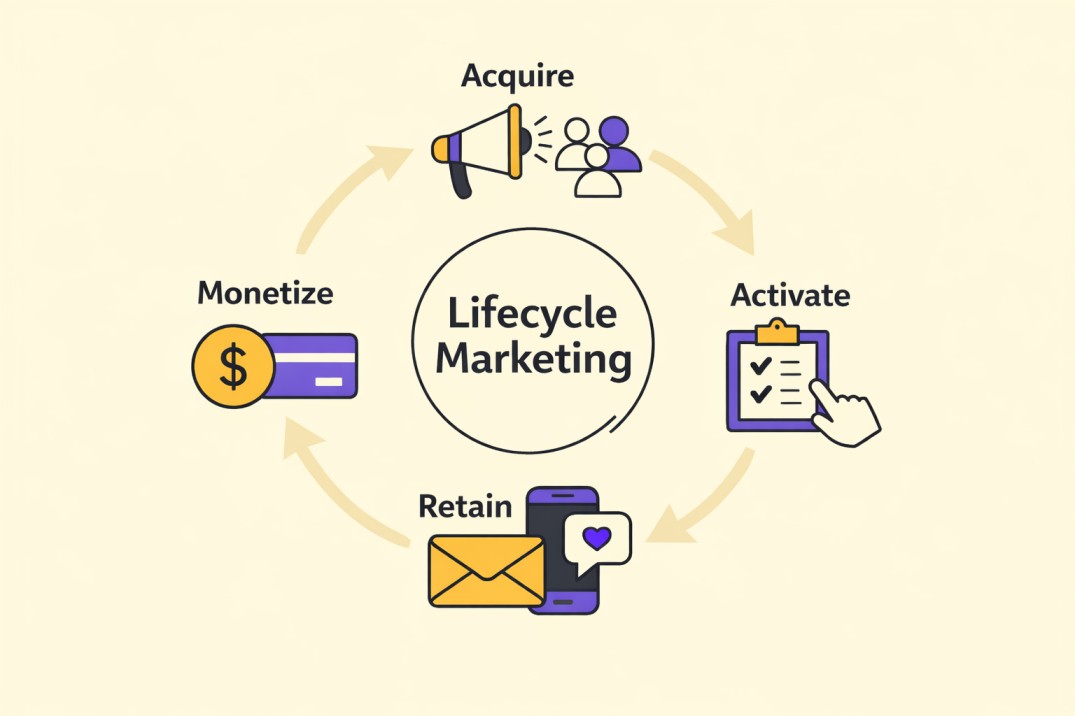
The stages a person moves through as they go from first touch → active customer → loyal user → churned/winback.
2) Lifecycle stage
A defined phase (like new, activated, retained, or at-risk) used for targeting and reporting.
Example: “At-risk” might mean a user’s weekly activity dropped by 50% compared to their normal pattern.
3) Awareness
When someone first discovers your brand/product.
4) Acquisition
When someone becomes a lead, user, or customer (signup, demo request, purchase).
5) Onboarding
The early experience that helps a new user/customer understand the product, set things up, and get moving.
Example: “Complete profile → import data → finish first task.”
6) Activation
The moment a user experiences first value (your “aha” moment).
Example: In a learning product, it might be “completes first lesson + saves a resource.”
7) Time-to-value (TTV)
How long it takes a user to reach first meaningful value after signup/purchase.
Example: If most users activate by day 2, your TTV is ~2 days.
8) Adoption
When users start using key features consistently (beyond first value).
Example: They don’t just “try” the tool once — they use it as part of a routine.
9) Engagement
Ongoing activity that suggests someone is actively benefiting (frequency, depth, recency).
10) Retention
Your ability to keep users/customers active over time.
Example: Day 7 / Day 30 retention in product analytics; renewal rate in subscriptions.
11) Churn
When customers stop using the product or cancel a subscription.
12) Reactivation
When an inactive user becomes active again.
13) Winback
Programs aimed at bringing churned users back — typically after a longer period of inactivity.
14) Expansion
Growth from existing customers via upgrades, cross-sell, add-ons, or deeper usage.
Example: “Power user hits plan limit → upgrade messaging.”
15) Customer lifetime value (LTV/CLV)
The total value a customer generates over their lifetime.
Journeys, Flows and Messaging Building Blocks
16) Lifecycle journey
A designed sequence of messages and experiences that guides a user through a stage.
Example: Onboarding journey, activation journey, renewal journey.
17) Lifecycle flow
The automation structure behind a journey (logic, timing, triggers, exits).
Quick distinction:
- Journey = the customer experience
- Flow = the system logic powering it
18) Campaign (in lifecycle context)
A planned set of messages with a specific goal. Can be one-time or always-on.
19) Always-on campaign
A journey that runs continuously whenever someone qualifies.
Example: Every new signup automatically enters onboarding.
20) One-off broadcast
A single message sent to a broad audience (newsletter, announcement).
Use case: Great for updates. Not enough for lifecycle retention by itself.
21) Message cadence
The timing and frequency pattern of messages.
Example: Day 0 → Day 1 → Day 3 → Day 7.
22) Channel
Where the message is delivered: email, in-app, push, SMS, WhatsApp, etc.
23) Touchpoint
Any moment a customer interacts with your brand.
24) Value proposition
The main reason your product is worth using (the “why” behind the behavior you want).
Reality check: If the value proposition is unclear, lifecycle messaging will struggle.
25) Message angle
The framing of the message (helpful nudge, benefit, reminder, social proof, urgency, reassurance).
Example: “Here’s how to get your first win” vs “Don’t forget to log in.”
Segmentation and Personalization
26) Segment
A group of users with shared traits/behaviors you can target.
27) Behavioral segmentation
Segments based on what users do (or don’t do) inside your product.
Example: “Viewed pricing page but didn’t upgrade.”
28) Lifecycle segmentation
Segmenting users by lifecycle stage (New, Activated, At-risk, etc.).
29) RFM segmentation
Segmentation by Recency, Frequency, and Monetary/Value.
Example:
- Recency: used product in the last 7 days
- Frequency: used 4+ times/week
- Value: on paid tier or heavy usage
30) High-intent segment
Users showing strong conversion/expansion signals.
Example: frequent usage + feature depth + pricing page views.
31) At-risk segment
Users whose engagement has dropped below baseline and may churn.
Example: “Previously weekly active → now inactive for 10 days.”
32) Suppression list
Users you intentionally exclude from messaging (unsubscribed, bounced, compliance reasons, or unengaged long-term).
33) Personalization
Tailoring messaging based on user attributes or behavior to improve relevance.
Good personalization: helps them win.
Bad personalization: feels like surveillance.
34) Dynamic content
Message sections that change based on user data (plan, region, usage).
35) Identity resolution
Matching the same person across devices/tools so targeting doesn’t duplicate or misfire.
Example: One person signs up with an email, later logs in via Google — identity resolution connects them.
Triggers, Events and Automation Logic
36) Trigger
The condition that starts a journey.
Example: “Signed up” triggers onboarding. “Inactive for 7 days” triggers re-engagement.
37) Event
A tracked user action (signup, completed lesson, invited teammate).
38) Event tracking
The system for recording events so you can segment and trigger journeys reliably.
39) Attribute
A user property (plan type, role, country) used for targeting/personalization.
40) Entry condition
Rules someone must meet to enter a flow.
Example: “Signed up AND has not activated within 48 hours.”
41) Exit condition
The rule that removes someone from a flow (so you don’t keep nagging them).
Example: “Activated” should exit the activation nudges flow.
42) Branching logic
Flow paths that change based on behavior (“if user did X send A; else send B”).
43) Frequency cap
Limits on how often someone can receive messages in a time window.
Example: “No more than 3 emails per week.”
44) Throttling
Controlling send volume to protect deliverability and system performance.
Metrics and Experimentation
45) KPI (Key performance indicator)
The metric that tells you whether your lifecycle goal is working.
46) North star metric
The one metric most closely tied to long-term value (varies by business model).
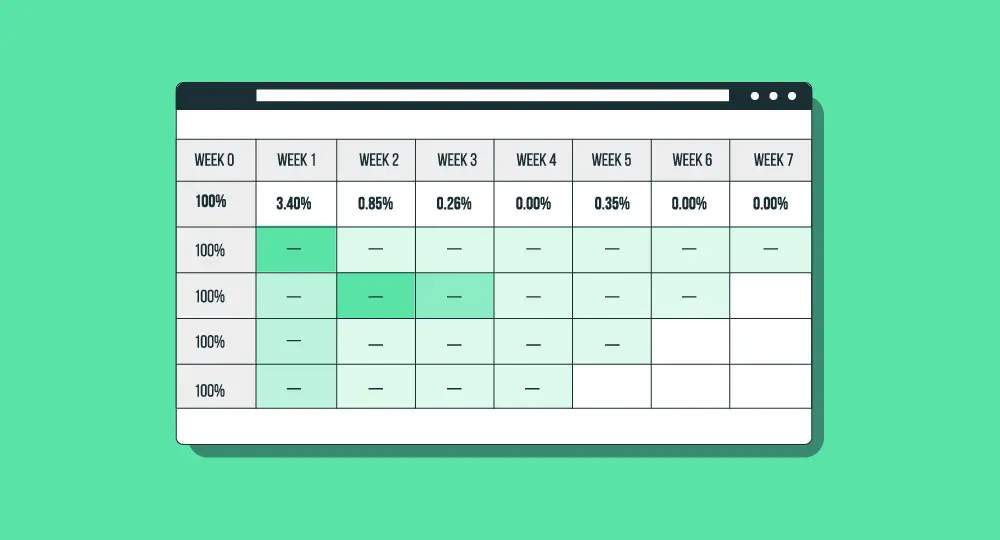
47) Cohort analysis
Tracking a group of users over time (e.g., users who signed up in January) to see retention patterns.
48) Retention curve
A visual view of retention over time — shows whether your product is sticky or leaky.
49) A/B test
Testing two variations (message/cadence/flow logic) to see which drives better outcomes.
50) Holdout group
A group intentionally excluded from a journey so you can measure true incremental impact.
Example: 10% of new users don’t receive the onboarding flow — you compare their activation rate to the 90% who do.
Tools and Data (CRM, ESP, CDP)
51) CRM (Customer Relationship Management)
A system (and practice) for storing customer context and managing interactions across sales/marketing/service.
52) ESP (Email Service Provider)
Tool for sending email campaigns and automations.
53) Marketing automation platform
Tooling that helps trigger multi-step workflows across channels (often beyond email).
54) CDP (Customer Data Platform)
A platform that unifies customer data from multiple sources for segmentation and activation across tools.
55) Source of truth
The system that holds the “official” version of customer data (critical when you have multiple tools).
56) Data sync
How information moves between tools (product analytics → CRM → ESP).
Reality check: bad sync = wrong segmentation = wrong messaging.
How to Build Skills for Lifecycle Marketing
If you’ve made it this far, you’ve basically done the hardest part already: getting clear on the language.
And if you’re at the point where you don’t just want to understand these terms—you want to build lifecycle systems you can actually show and defend—that’s where the Treford Lifecycle Marketing Program comes in.
It’s the practical guide from “I know the vocabulary” to “I can map journeys, set triggers, segment audiences, run experiments, and measure impact like a real lifecycle/CRM operator.